







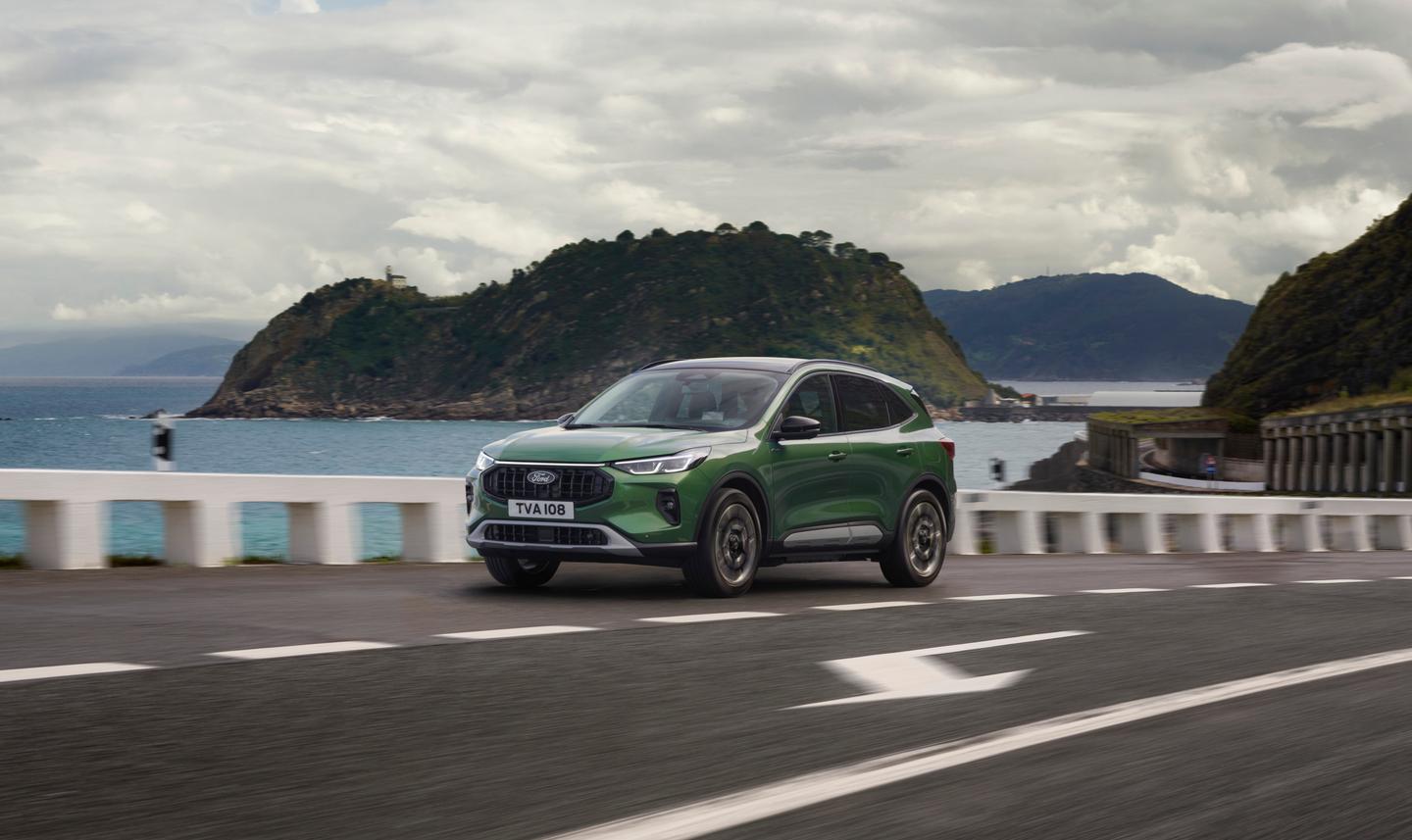

Need to figure out something on your Ford Kuga?
We’ve brought together a list of commonly asked Ford Kuga questions, to enable you to get the most out of your Kuga.
Not bought a Kuga yet? Read our Ford Kuga review or shop used Ford Kuga cars for sale at Motorpoint.
How to open a Ford Kuga bonnet
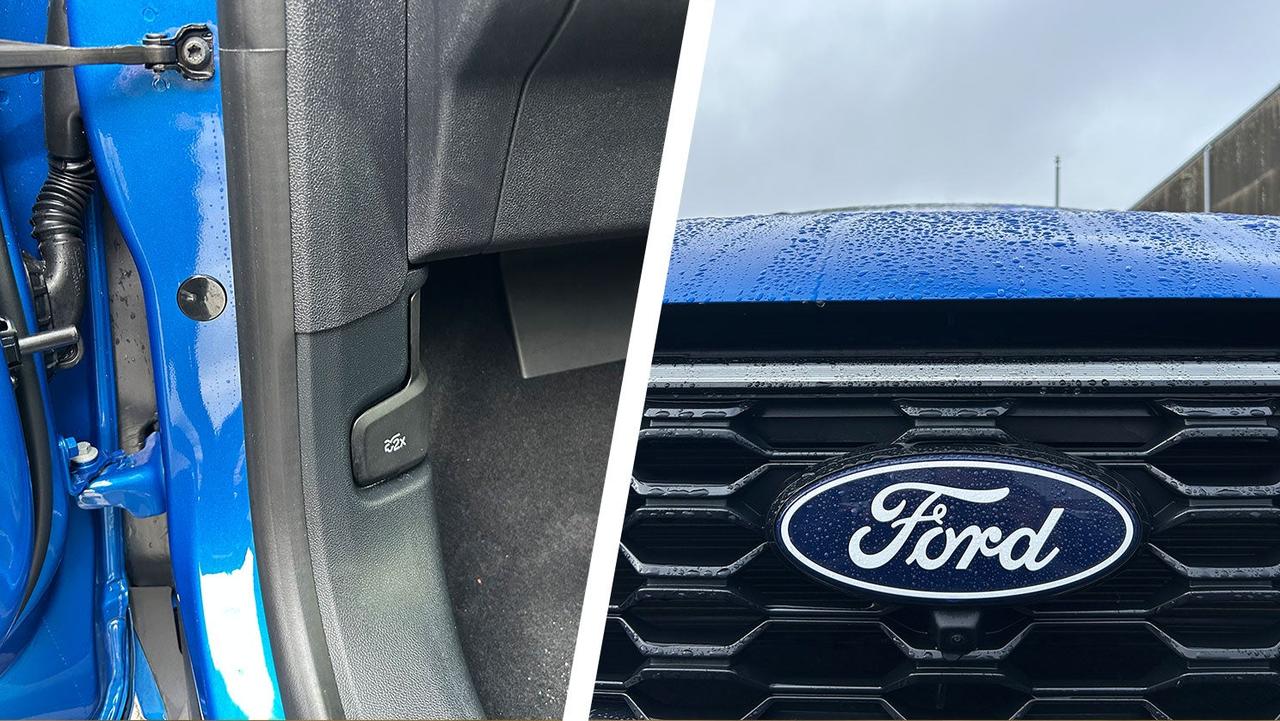
In the front passenger’s footwell, there’s a lever built into the plastic panel. Pull this twice and the bonnet will open a little. Then, slide your fingers under the slightly open bonnet, release the catch and pull up the bonnet.
What are the best tyres for a Ford Kuga?
The Ford Kuga uses common tyre sizes across its range, so you shouldn’t have any trouble finding the right-sized tyres online. We always recommend buying the best tyres you can afford, because your four tyres are the only parts of the car that come into contact with the road surface.
How to reset tyre pressure on a Ford Kuga
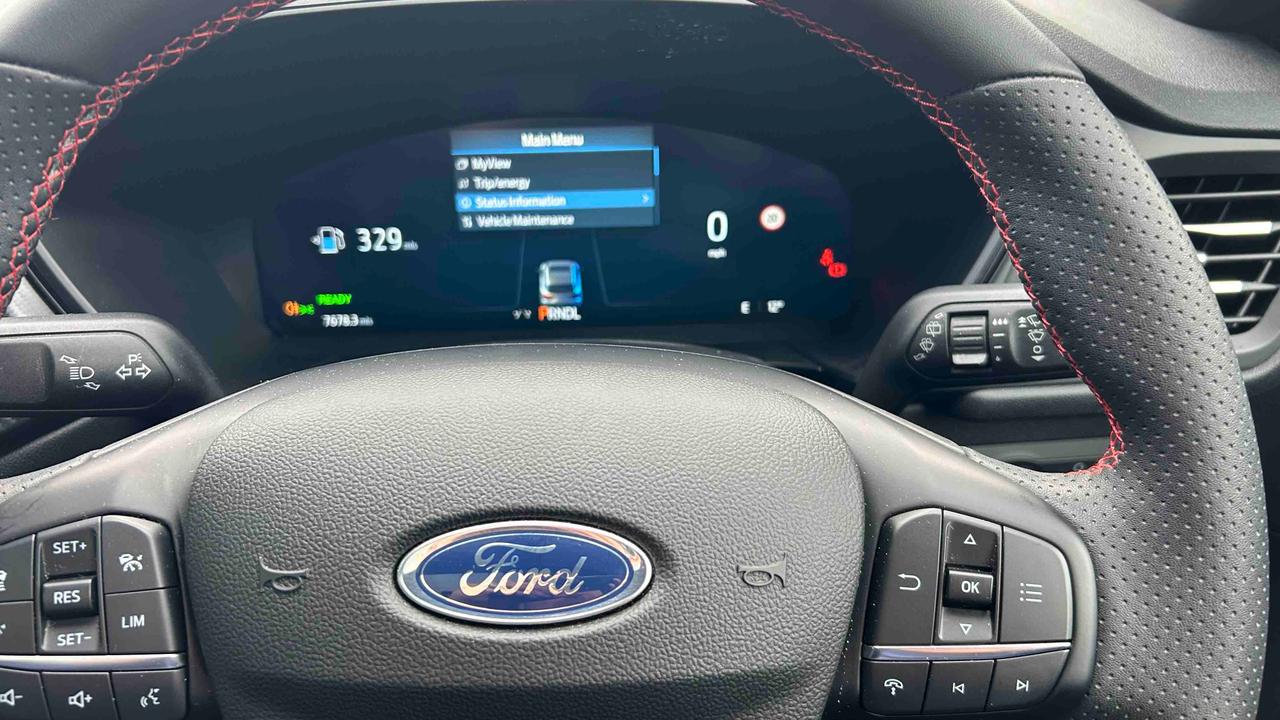
The tyre pressure reset option is located within the driver’s digital display. Use the button on the steering wheel that looks like three lines and dots to bring up a settings menu. Scroll to Status Information, then you’ll find the tyre pressure menu. Hold OK to reset.
How to reset oil change light on a Ford Kuga
Turn the car’s ignition on but leave the engine off (if your car has a push-button to start it, press the button without pushing the pedals).
Within the driver’s display, there’s also an ‘oil life’ option. Once you’ve got the oil life readout on your screen, hold down the brake pedal until the oil life readout resets to 100%. This could take 30 seconds or so.
How to charge a Ford Kuga battery
We’re going to assume you mean the Kuga PHEV's high-voltage battery pack here. In which case, the best way to charge a Ford Kuga battery is to plug it into the mains. This can be done with a dedicated home wallbox, or with a standard three-pin plug socket. A standard three-pin socket will take much longer to charge the car, but wallboxes are expensive if you don’t have one already installed.
You can also recharge the battery a little while driving. When slowing down, the battery sucks in the energy that would otherwise be lost – but this works best in stop-start traffic; you won’t get any EV range back at motorway speeds. There's a battery charge mode, which uses fuel to top up the battery, but your fuel economy figure could drastically drop for a small increase in range.
Our guide to charging an EV at home also applies to plug-in hybrids.
How to start a Ford Kuga with the emergency key
If your key fob battery is dead, open up the key fob to find the physical backup key. Use this to unlock the car. Then, place the key fob in the backup key position. You’ll need to consult your owner’s manual to find the exact place for this, but it’s usually in the centre console or by the steering column.
On automatic cars, the gearbox needs to be in Park or Neutral and you need to press the brake. On manual cars, you need to press the clutch down.
How to turn on parking sensors in a Ford Kuga
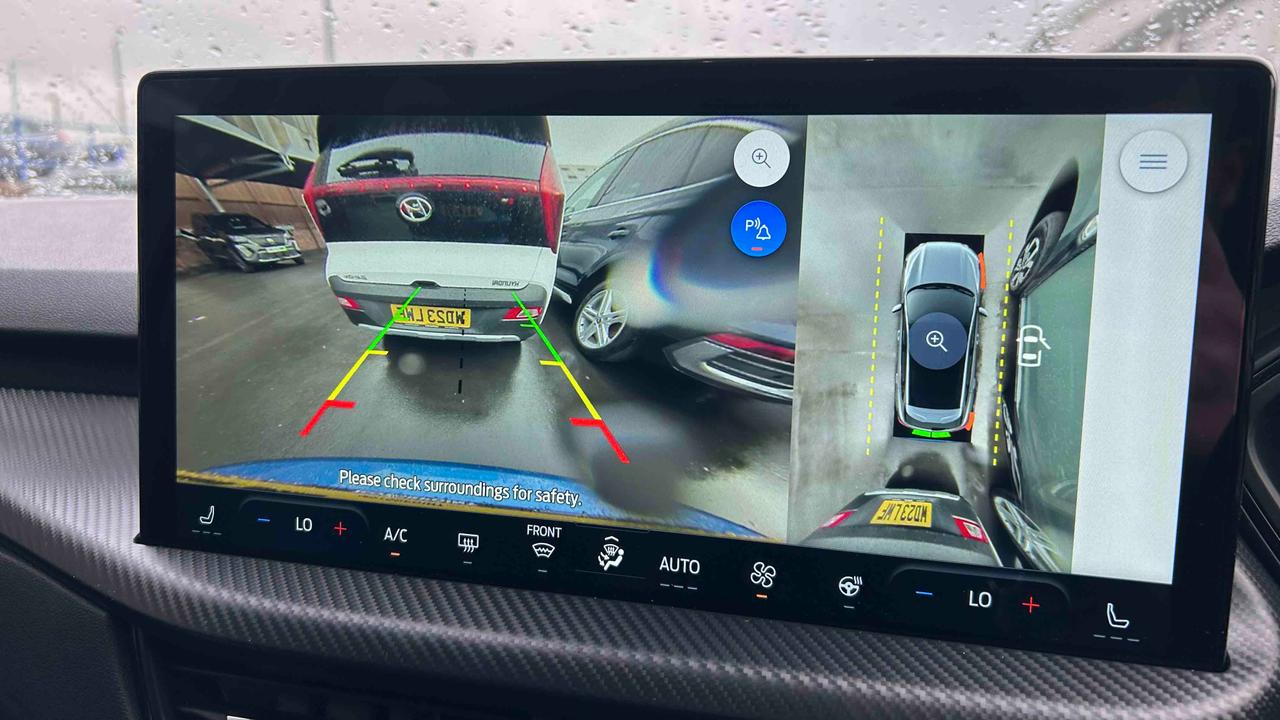
When you select reverse gear, the parking sensors will come on automatically. They will stay on if you switch to a forward gear and continue to operate at low speeds. On the touchscreen, there’s an option to turn the beeping noise off – a must-do if you’ve got sleeping kids in the back!
How to connect your phone to a Ford Kuga
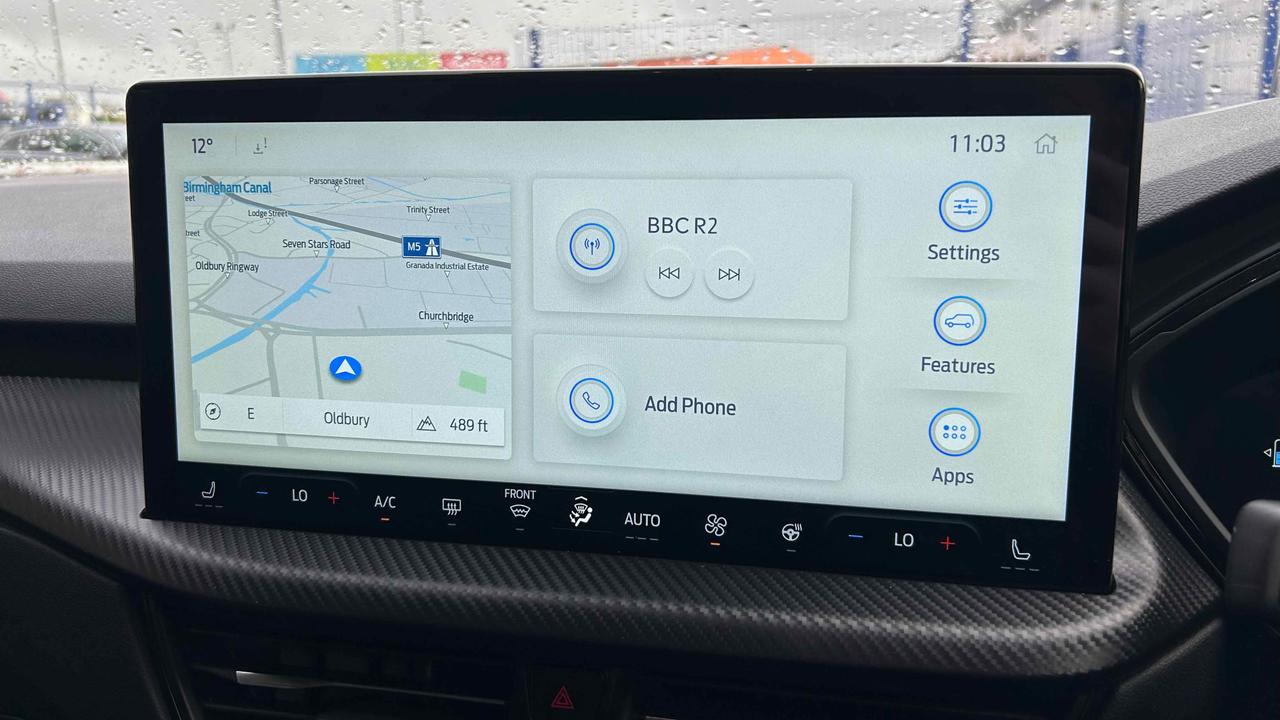
From the car's home screen, click on the telephone icon with ‘add phone’ displayed. Make sure your phone’s Bluetooth is visible, then click on the Kuga in your phone’s Bluetooth list. Ensure the number on the car’s screen matches the one on your phone, then click ‘pair’ on both screens. It’ll probably ask you if you want to import contacts and favourites – which is probably useful if you’re going to be using the car’s phone menu a lot.
How do I update my Ford Kuga’s sat nav?
You can check for updates on the Ford Sync and Maps Update page, where you’ll need your car’s VIN (Vehicle Identification Number – not its number plate) or your Ford account login details. Or you can ask your Ford dealer to check for you.
However, if you have a smartphone, you can use Apple CarPlay or Android Auto and get regularly updated and accurate mapping for free.
Read our Ford Kuga review or shop used Ford Kuga cars for sale.