

























If your brain’s frazzled by certain aspects of your BMW 1 Series, we’re here to help.
The BMW 1 Series is a premium and sporty hatchback that’s widely available as a used car. But perhaps you need a little bit of help with one of the car’s functions? Whether it’s something to do with the engine or the infotainment system, we’ll clear up some commonly asked questions about the BMW 1 Series.
What oil for BMW 1 Series?
Most BMW 1 Series models use 5W-30 engine oil, although some may also take other grades of oil such as 5W-40 or 0W-30. For confirmation on what your car needs, you should refer to your owner’s manual.
How to open the bonnet on a BMW 1 Series
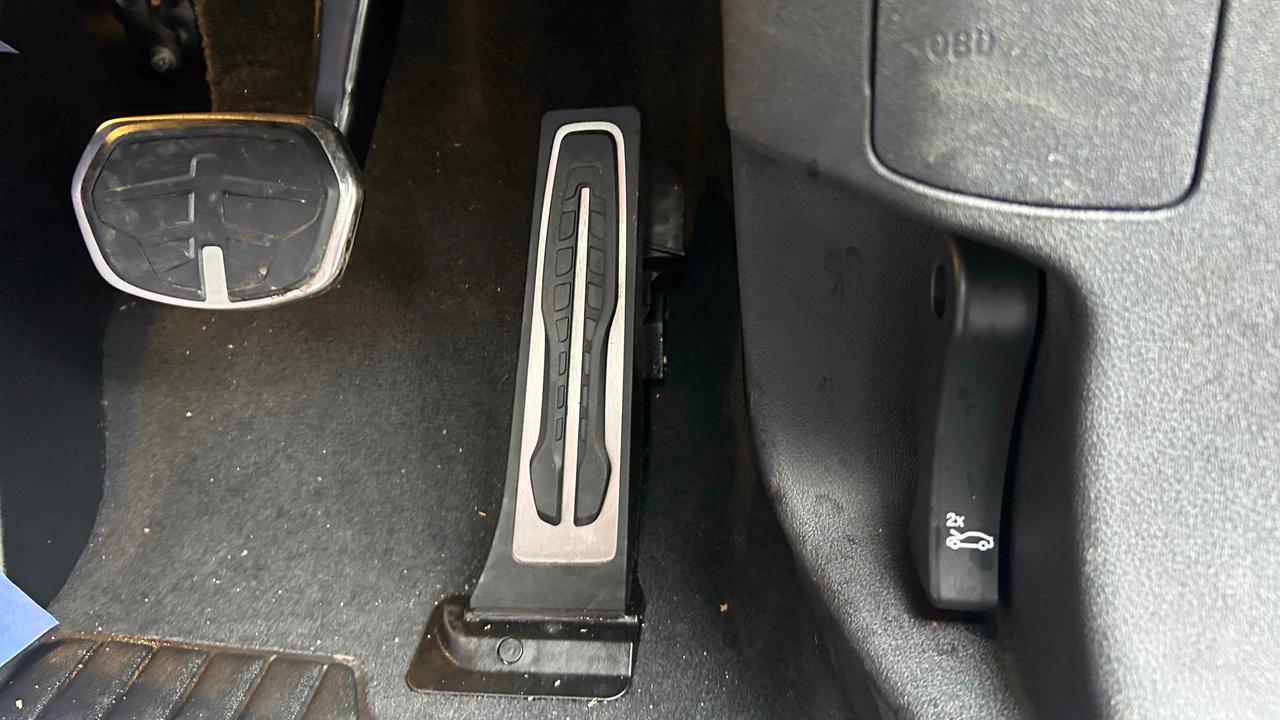
In the driver’s footwell, you’ll see a lever next to the pedals. Pull this twice and the bonnet will pop up a little. Then, slide your hand under the slightly open bonnet, and unlatch the hook.
Where is the battery on a BMW 1 Series?
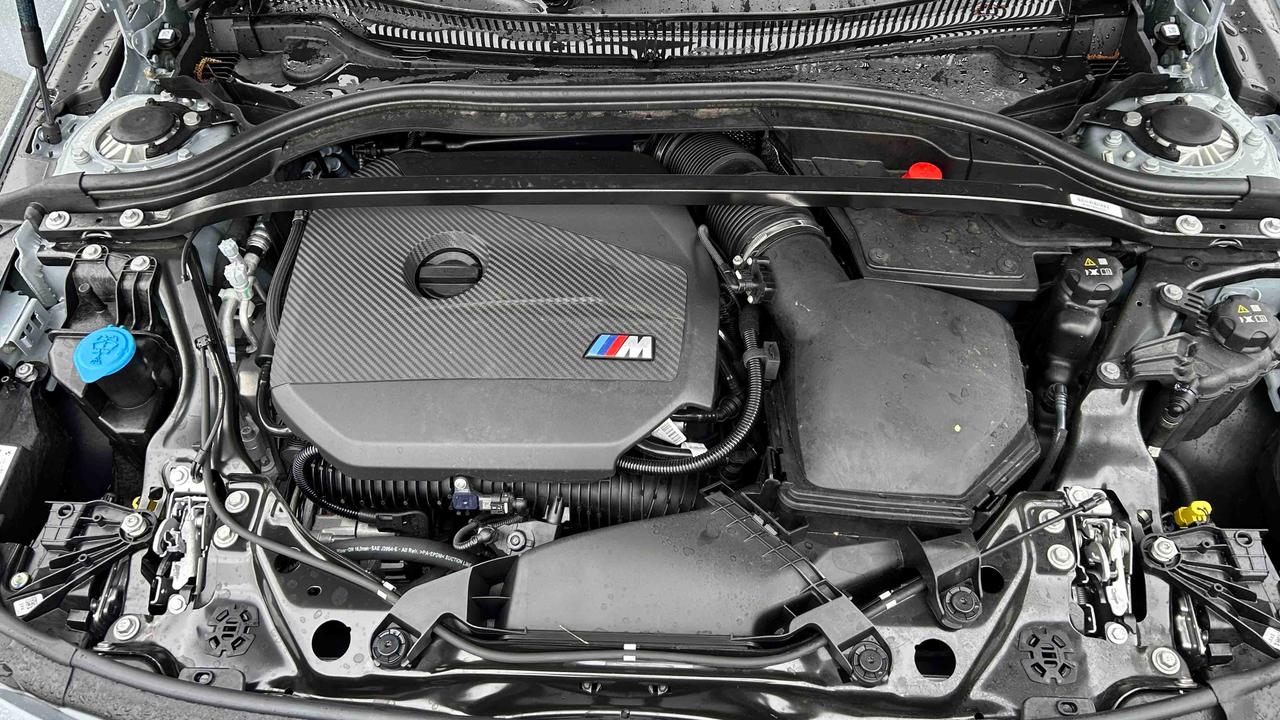
On the right-hand-side of the engine as you look at it from the front of the car, you can locate the battery with the red positive terminal. However, you may need to remove the plastic covers and bars to access the battery.
Where is the dipstick on a BMW 1 Series?
The BMW 1 Series doesn’t have a dipstick. Instead, the quality and level of oil is measured by sensors within the engine. You can find the oil report in the infotainment system, under the Vehicle Status tab.
How to check engine oil on a BMW 1 Series
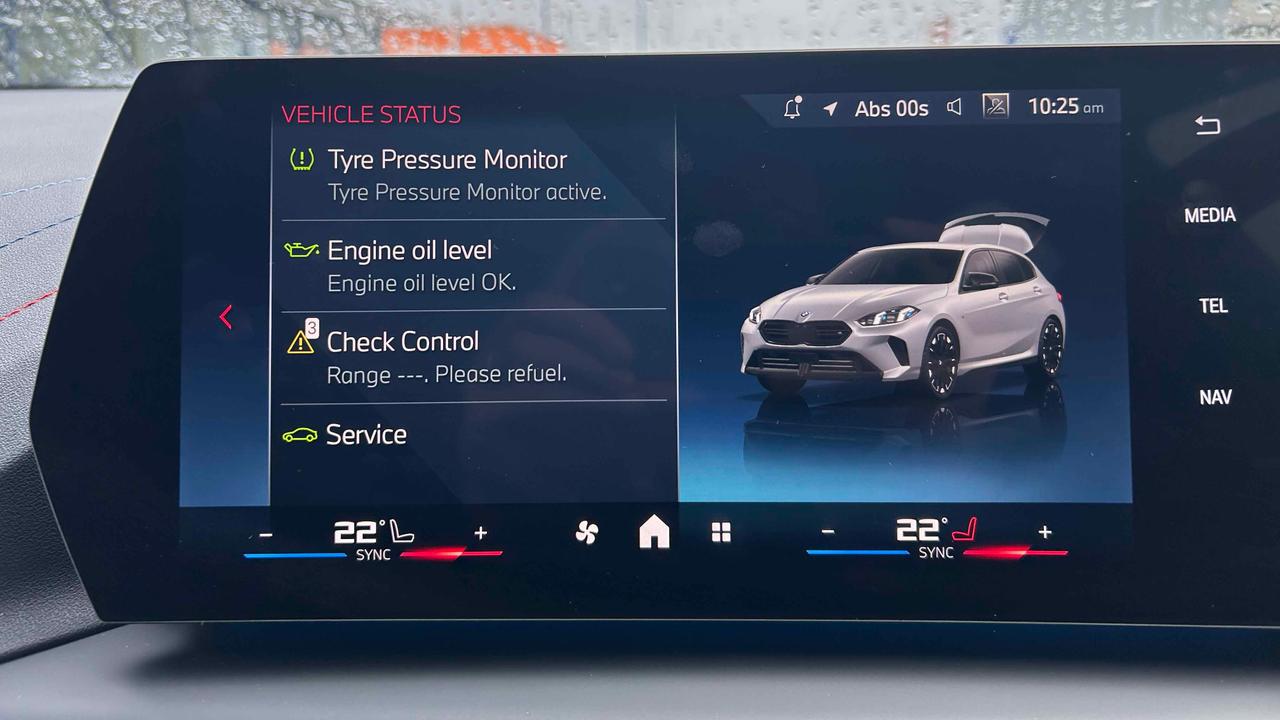
You need to go into the infotainment system and click on Vehicle Status to check your 1 Series’ oil level. For the system to be able to perform the check, you need to be on flat ground with the engine on in either Park or Neutral (for automatic cars). You’ll have to wait for the engine to get up to temperature before being able to check the oil, so it might be worth driving up and down the road a bit to warm the engine up.
How to check engine temperature on a BMW 1 Series
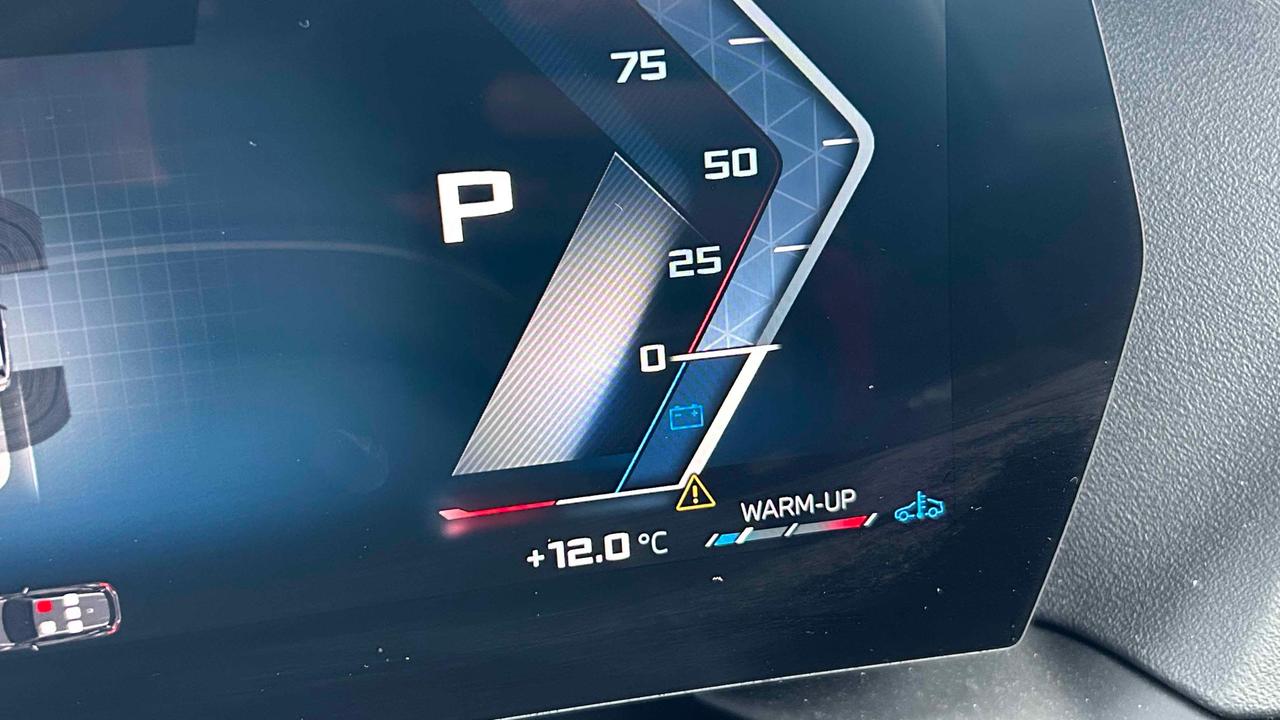
It’s an easy one to miss but, in the bottom right-hand-corner of the digital driver’s display, you’ll find the engine temperature gauge. You should be gentle on the car while the engine is warming up. When the engine is at the right temperature, you should see the gauge reading halfway between cold and hot.
How to check brake fluid on a BMW 1 Series
The brake fluid reservoir is hidden away in modern BMWs. The wavy plastic parts at the back of the engine bay are removable – they’re held in place by a handful of plastic clips at each end. Once you remove the covers, you’ll see a white container with a black cap. There are minimum and maximum levels on the container, and the brake fluid should be between these markers.
How to reset BMW 1 Series tyre pressure
Once you’ve pumped up your tyres to BMW’s recommended pressures, go to the Vehicle Status menu and you’ll find the Tyre Pressure Monitor option. Click into it and you’ll be able to confirm that the new settings are correct.
How to put BMW 1 Series into reverse
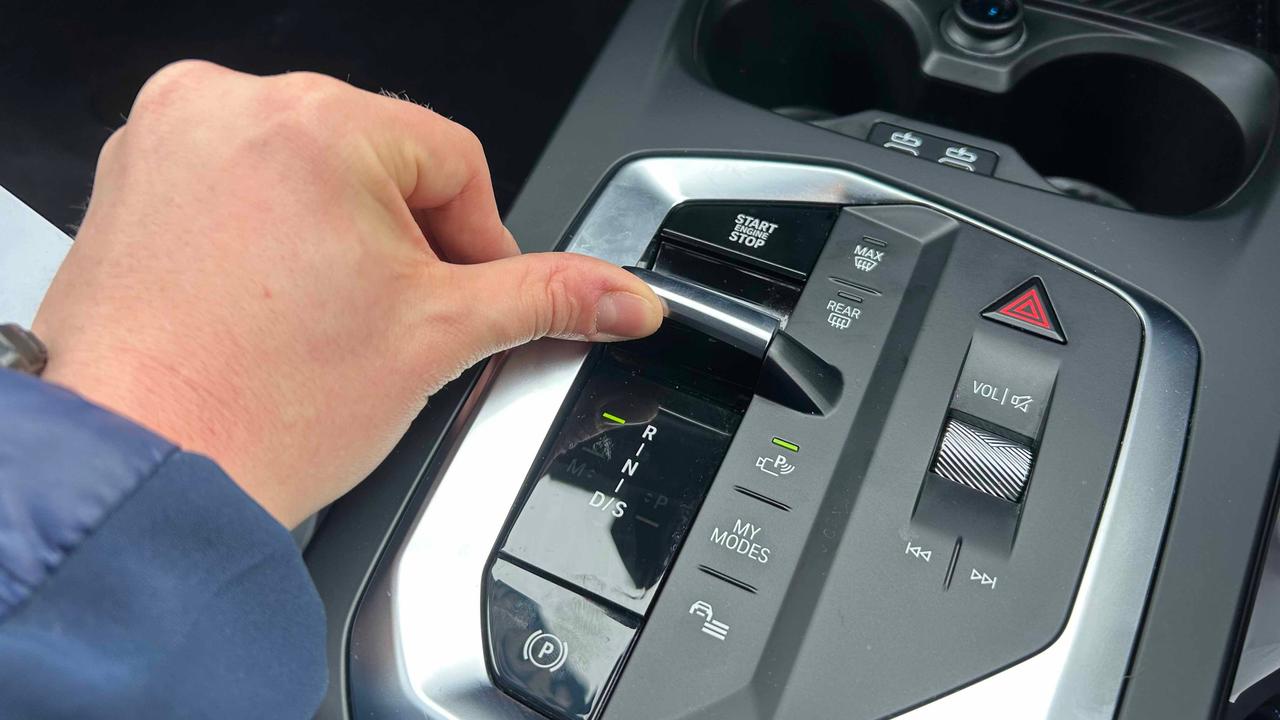
In an automatic BMW 1 Series, you’ll need to put your foot on the brake and push the gear lever away from you to select reverse gear.
In a manual 1 Series, push the gear lever down and move it to near where first gear is. The car is likely to beep or bring up the parking sensor display when you engage reverse.
How to connect your phone to a BMW 1 Series
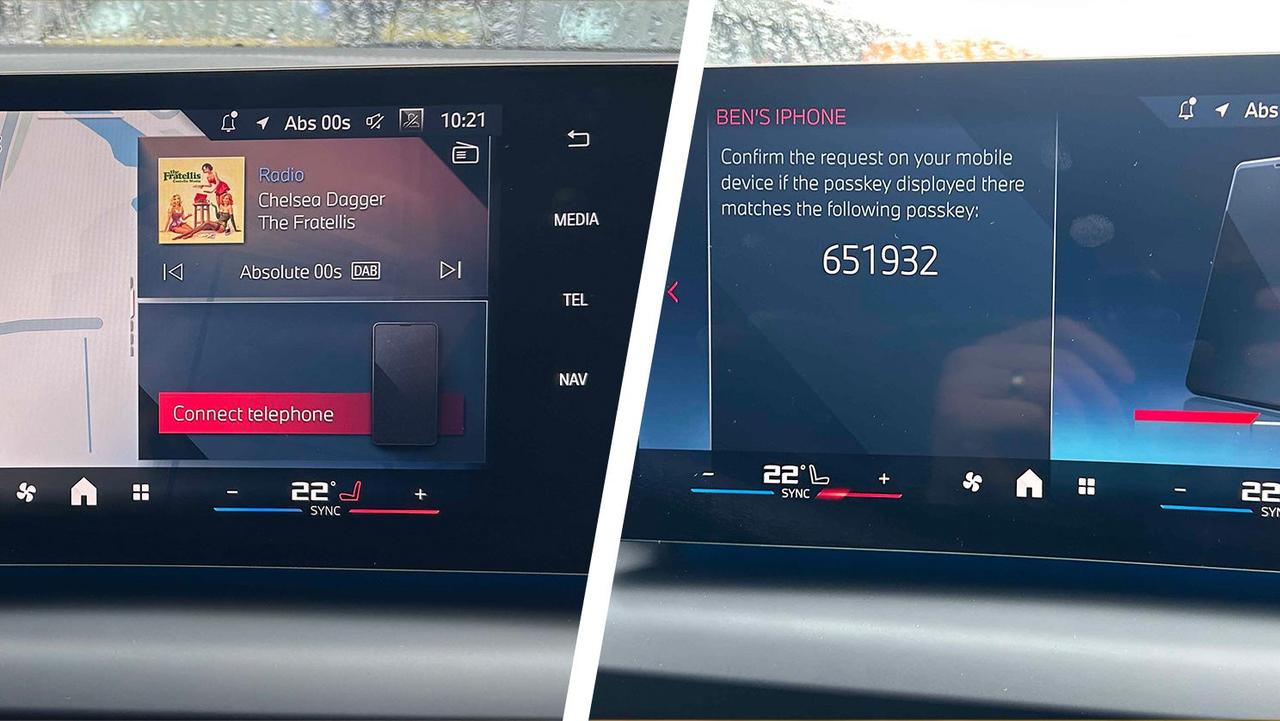
To connect your phone to a BMW 1 Series via Bluetooth, go to the telephone menu from the home page. Click on ‘connect your device’, then find the details for the car within your phone’s Bluetooth menu. Check the numbers on the phone screen and car screen match, and press ‘pair’ on both.
To disconnect your phone, go to the Devices submenu within the main telephone menu. Then, scroll down the options to ‘Remove’. You’ll get a confirmation message to say your phone is no longer connected.
How to change the time on a BMW 1 Series
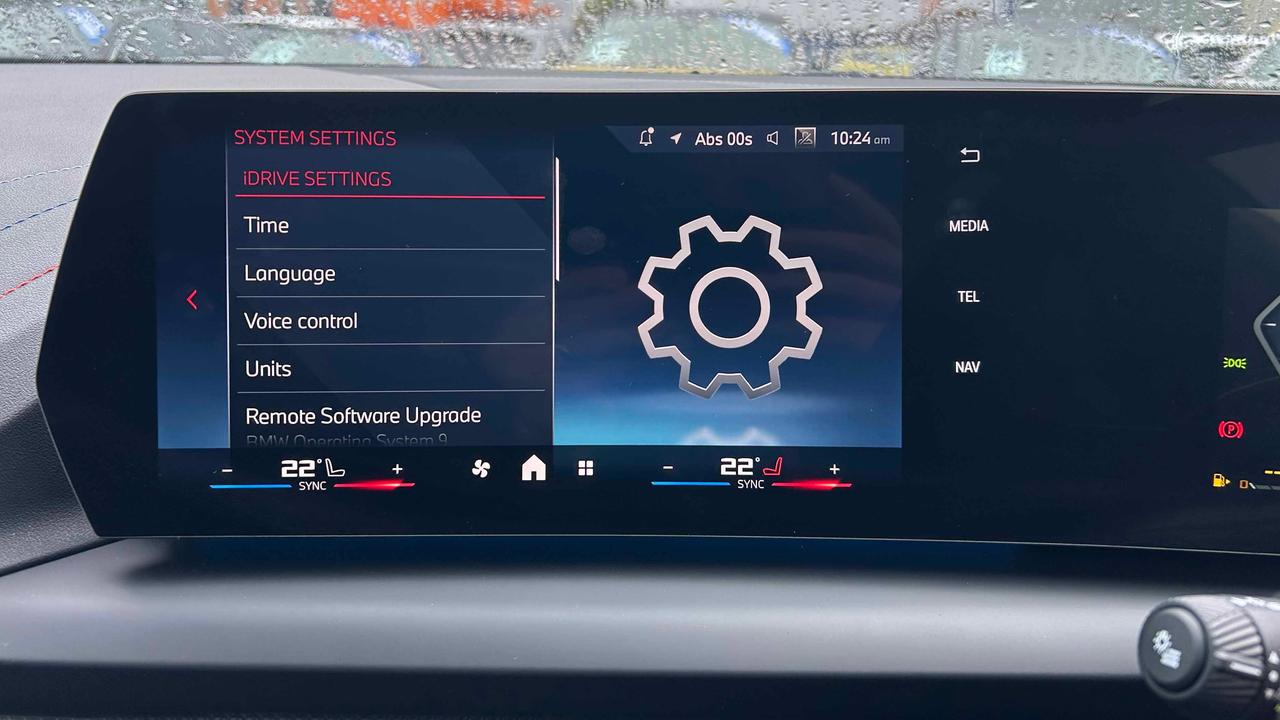
For this, you’ll need to be in the ‘iDrive Settings’ section of the main menu. Time is the first option, and once you’re in that submenu you’ll be able to change the time and date.
How to change the battery in a BMW 1 Series key fob
On your key fob, you’ll see a little unmarked button on the side, which you’ll need to press to release the physical backup key. Then, you can pull off the back cover to access the battery, which needs to be gently prised out. The battery for the key fob is a CR2032 – these can be picked up cheaply in supermarkets, auto parts stores or online retailers.
Once you’ve replaced the battery, simply clip the back cover back on, and slide the physical key back in.
Read our full BMW 1 Series review, or check out the best BMW 1 Series alternatives if you fancy something else.