





Need some help with your VW Golf? We answer common questions from owners
Hopefully, life with a Volkswagen Golf will usually be plain sailing. The Golf has a strong reputation for reliability, parts are widely available, and its components are extensively used across a huge range of related cars. But you might have a few questions about various features in your Golf, which we’ll aim to answer here.
Not yet a Golf owner? Shop used Volkswagen Golf cars for sale at Motorpoint or read our Volkswagen Golf review.
What oil for a Volkswagen Golf?
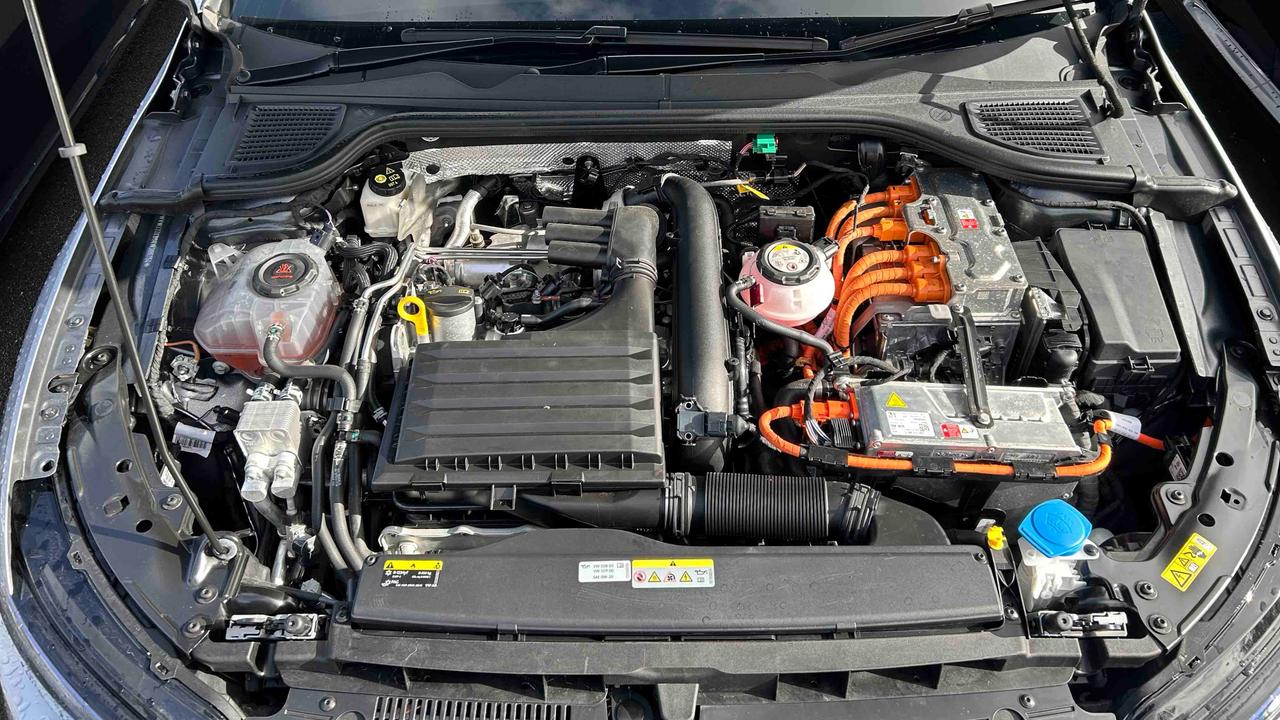
Given that there are so many models and generations of the Volkswagen Golf, there are a wide variety of different oils that could apply to your car. Focusing on modern Golf models, you’ll be looking for Volkswagen parts codes 504.00, 507.00, 508.00 and 509.00.
Petrol Golfs require either 504.00 or 508.00, which are 5W30 and 0W20 viscosities respectively. Diesel Golfs require either 507.00 (5W30 viscosity) or 509.00 (0W20 viscosity). The 0W20 oils are for more recent Golf models, whereas the 5W30 oils are suitable for any petrol Golf built since 2005.
How to open Volkswagen Golf bonnet
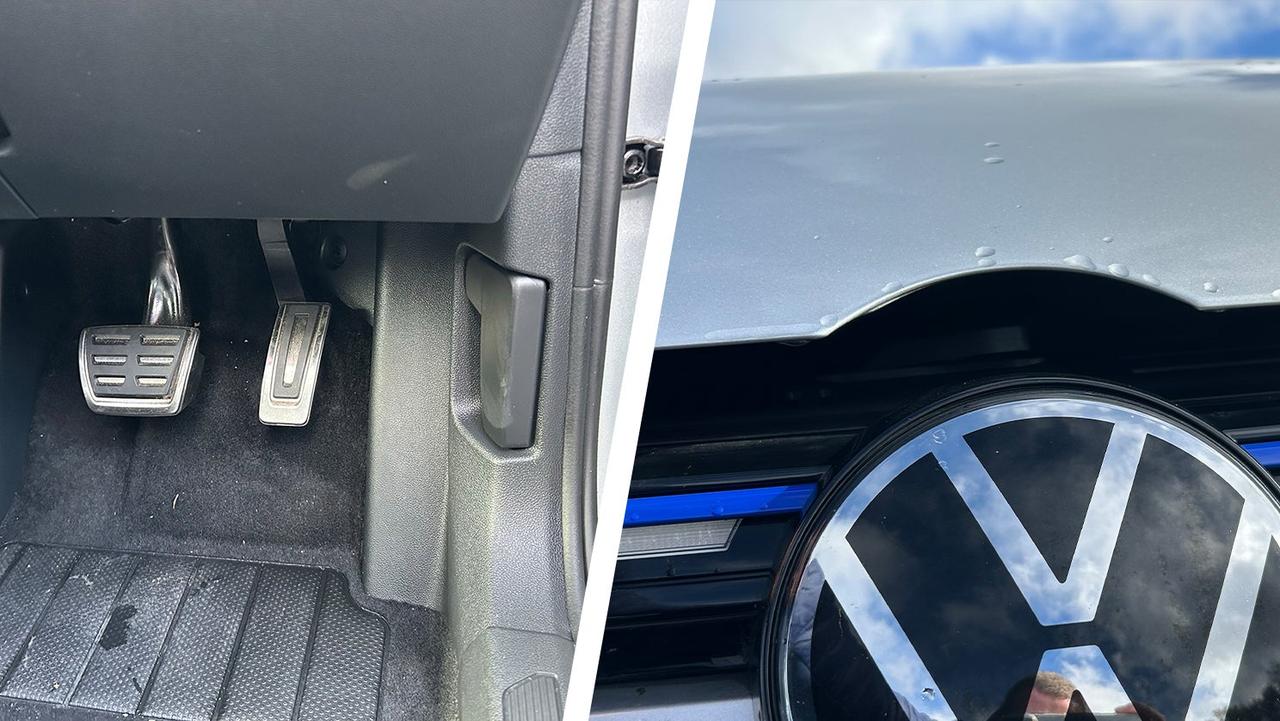
In the driver’s footwell, you’ll see a lever cut out of the plastic moulding. Pull this twice and the bonnet will pop up. It’s still latched at this point, so you’ll need to go to the front of the car, slide your fingers into the gap and release the catch. Then you’ll be able to pull the bonnet all the way up, and you can use the built-in bonnet strut to hold the bonnet in place.
How to open the petrol cap on a Volkswagen Golf
Unlock the car (you may need to press unlock twice) and you can open the fuel filler flap (or the electric charge flap) by pressing on the edge of the flap.
How to change the car key battery in a Volkswagen Golf
Using something like a small flat-tipped screwdriver or your fingernail, you can prise off the part of the key with the VW logo on it. That gives you access to the small battery within the key fob. You’ll need a CR 2032 battery, which are widely available online or in supermarkets and typically cost a couple of pounds.
How to open Volkswagen Golf boot from inside
You can open the VW Golf’s boot from the driver’s seat by pulling the boot release switch that’s located low down on the door.
There’s an emergency release built into the bootlid that can be accessed from inside the boot. You’ll need to fold the rear seats down and find the manual release in the back of the boot lock, before prying it with a small screwdriver.
How to turn on Volkswagen Golf headlights
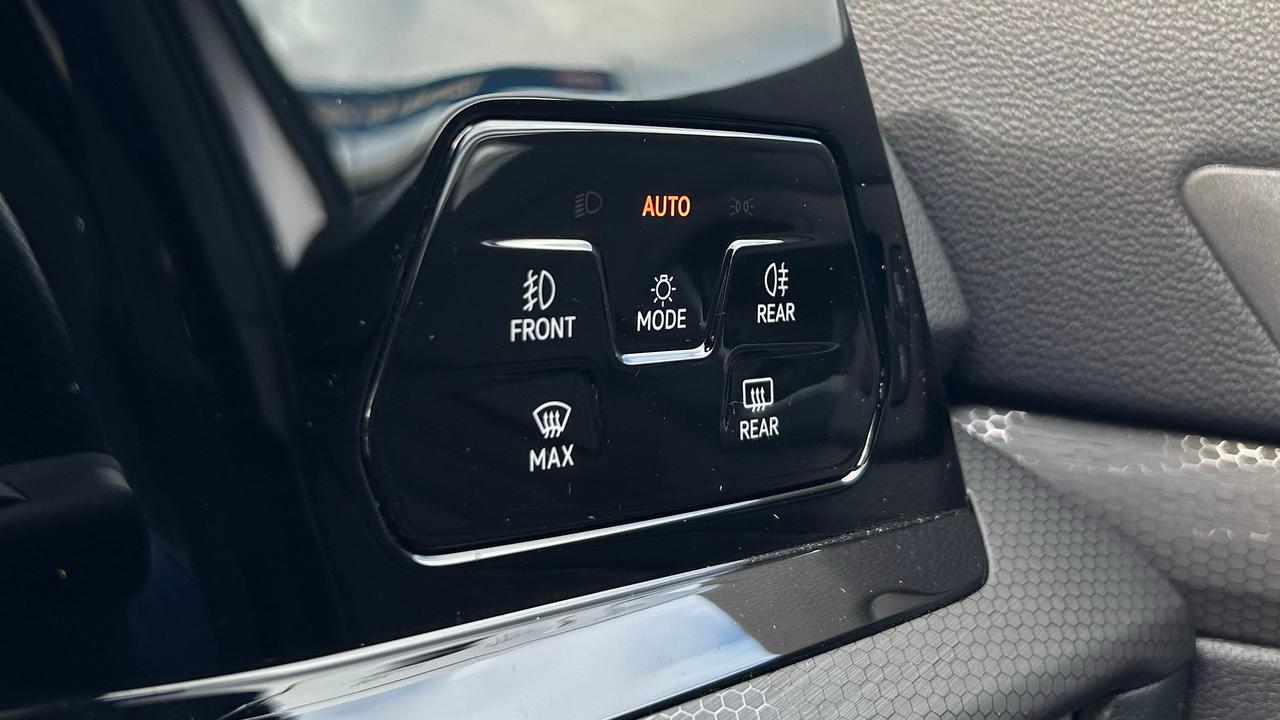
To the right of the driver’s display screen, you’ll find a touch panel with ‘buttons’ for the different light settings. If the 'Auto' button is illuminated, press this to swap from automatic headlight control to manual headlight control. When the headlight symbol lights up in green, your headlights are on. You can also get out and perform a visual check, of course.
How to turn on fog lights on Volkswagen Golf
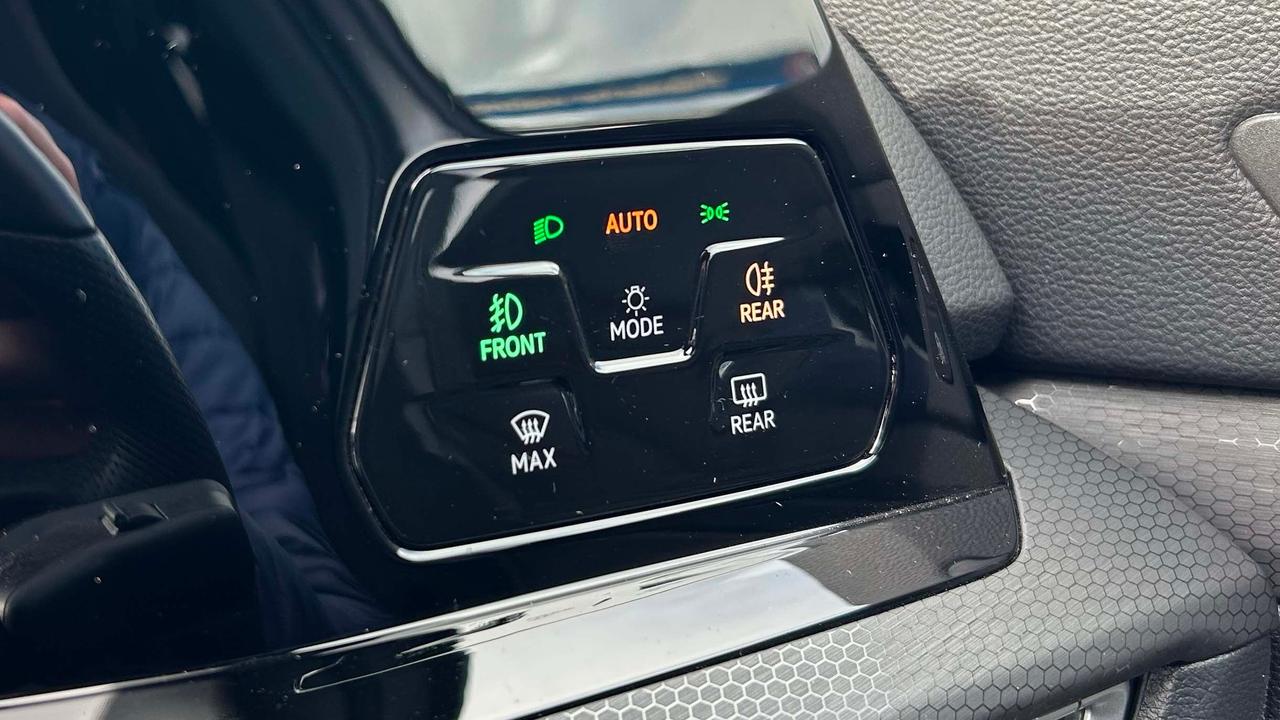
Again, locate the light settings panel to the right of the driver’s display. In the middle of this panel are the fog light switches, with separate controls for the rear and front (if fitted) fog lights. If the fog light switches are illuminated, your fog lights are on.
What is the correct tyre pressure for a Volkswagen Golf?
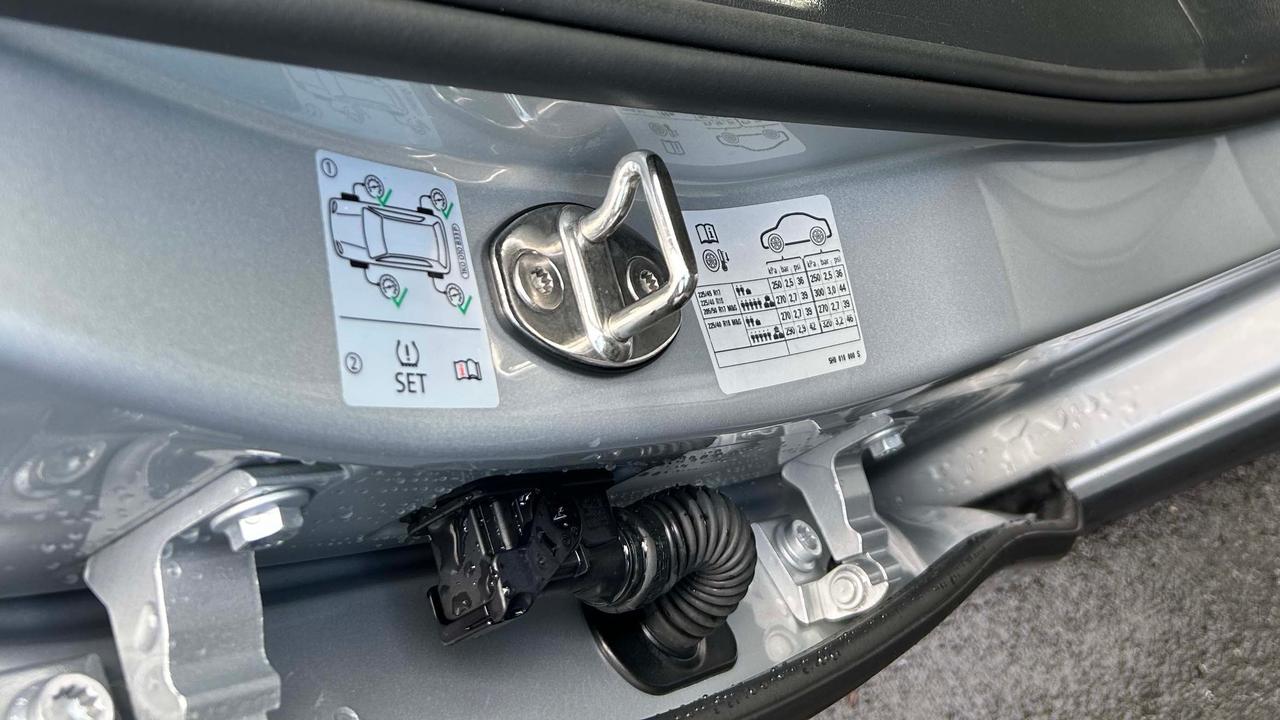
Your Volkswagen Golf will have a sticker showing the recommended tyre pressures – you’ll typically find it just inside the driver’s door frame. This sticker will show you the right tyre pressures for the size of wheels you have, and it’ll give different figures for normal driving and for when the car is fully loaded.
For example, the car in our pictures is a Golf GTE on 17-inch wheels. The tyre pressure sticker shows that the recommended pressures for everyday driving are 36psi on the front and rear tyres, but that you should inflate the front tyres to 39psi and the rear tyres to 44psi when you’ve got a car full of people and luggage.
How to turn on heat in Volkswagen Golf
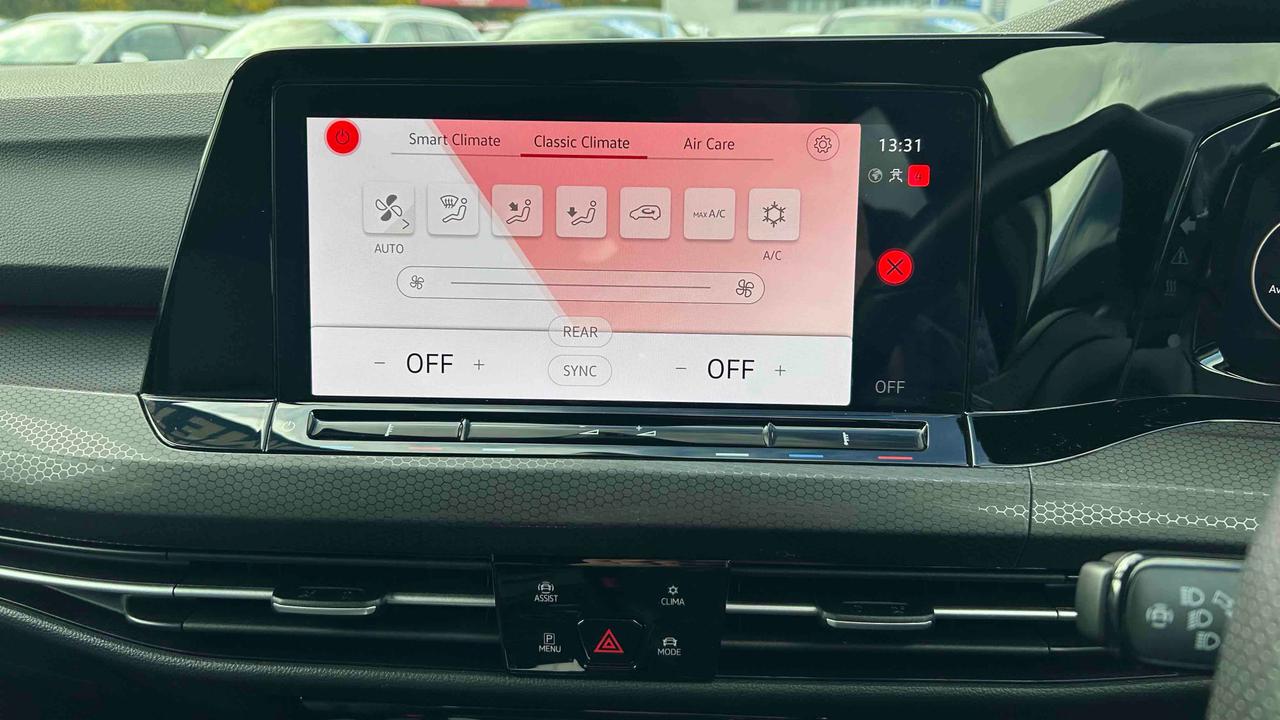
Beneath the touchscreen, you’ll find a panel of buttons that includes the hazard light switch, plus the driver assistance menu, drive modes settings and a button marked ‘Clima’. Pressing this brings up the heating and airflow menu.
The ‘Classic Climate’ tab includes the blower direction settings and fan speed, while the ‘Smart Climate’ tab offers pre-configured air conditioning settings such as rapid cooling for the interior and defogging the windows.
How to connect Bluetooth in a Volkswagen Golf
On the home menu of the touchscreen, go into the Telephone menu (the top left tiled icon). If no phone is connected, you’ll be prompted to connect your phone. Make sure your phone’s Bluetooth is turned on, and select the Golf from your phone’s Bluetooth menu. Then confirm that the numbers match and whether you want to sync your phone’s contacts to the car.
Fancy something new? Shop our used Volkswagen Golf cars for sale, or read our guide to the best Volkswagen Golf alternatives.